
Now days almost all smartphone brands are integrating the AI in OS get more features and optimisations. ColorOS 17 is already well recognized for AI features. Today we are discussing about the latest AI feature by ColorOS named “Photo Agent”. This feature is limited to few devices for now, but will be available on most of devices soon.
What is ColorOS 17 Photo Agent Feature?
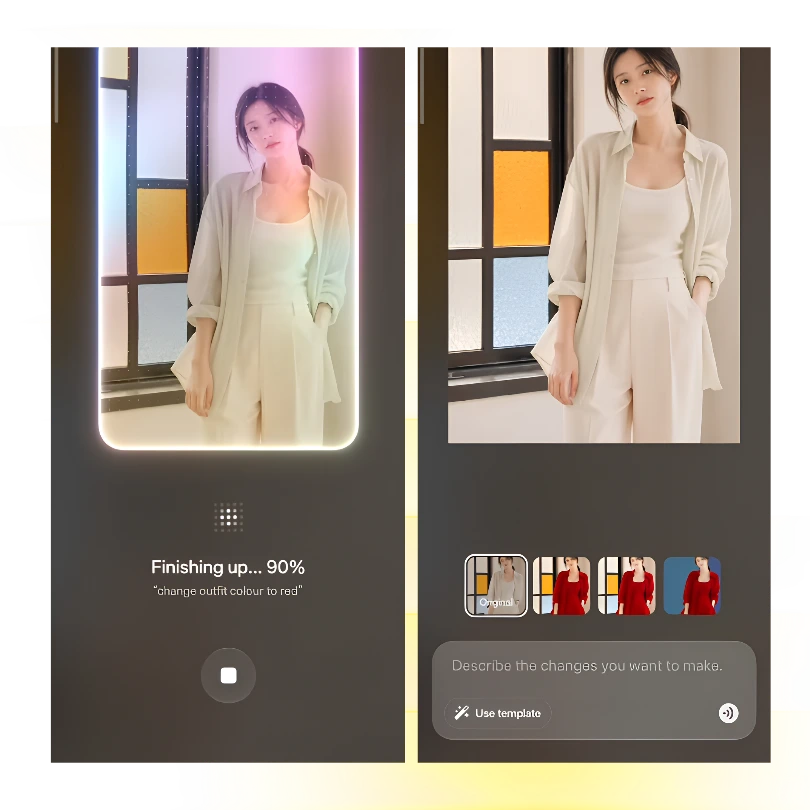
Photo agent feature is latest on devices. This is all in one AI Photo editing tool in photos app. That let you edit the images by using just prompts, Reference photo, automated suggestions. In simple term users dont need any technical skill of editing. Just drop prompt of reference image and get ready with edit.
This tool handles lighting, tone, composition, retouching, and object removal without manual sliders. All these things can be done with the prompts and reference only.
Now lets talk about the what are thee key feature of Photo Agent tool in ColorOS 17.
Key Features
Prompt Edit : Users can directly type prompt to remove clutter or unwanted objects from background such as scattered items or anything – while keeping the main subject intact.
Style Match: Upload a reference photo so the AI match its color,tone,lighting and overall mood of entire image.
Clarity and motion blur: Sharp blurry shots and reduce motion blur on moving subjects to clean up the photo..
Retouch: Portrait images can be refined and retouched with this feature to make subject more natural and detailed.
Erase / Change Objects: Users can change Erase / change the objects by using the text prompts only. (Select Object and look for prompt.)
Users can also go with the presets availbe in the photos app.
How to use AI Photo Agent Feature
- Open the “Photos” App on your device.
- Select photo that you want to edit.
- Click on Edit button at bottom.
- Tap on AI Editor and AI Photo Agent.
- Now you can select template or also you can use prompt as you want.
- Also you can select object and make changes with prompt only.
- Also can upload reference image and can adapt the editing style.
Note:AI Photo Agent is currently limited to flagship and upper-tier devices running ColorOS 17 or the ColorOS 17.0.1 update
AI Photo Agent Supported Devices
As I told you this feature is limited to some devices only and will be availabe to more devices in future. But for now this feature is limited to following devices only.
- Out of the Box: OPPO Find X10, Find X10 Pro Max, and OnePlus 16.
- OPPO Flagships & Foldables (via ColorOS 17 / 17.0.1): Find N6, Find N5, Find X9 series (Find X9, X9s, X9 Pro, X9 Ultra), and Find X8 series (Find X8, X8 Pro).
- OnePlus Flagships (via ColorOS 17.0.1): OnePlus 15, OnePlus 13, and OnePlus 13s.
- Realme Flagships (via ColorOS 17.0.1): Realme GT 8 Pro and GT 7 Pro.