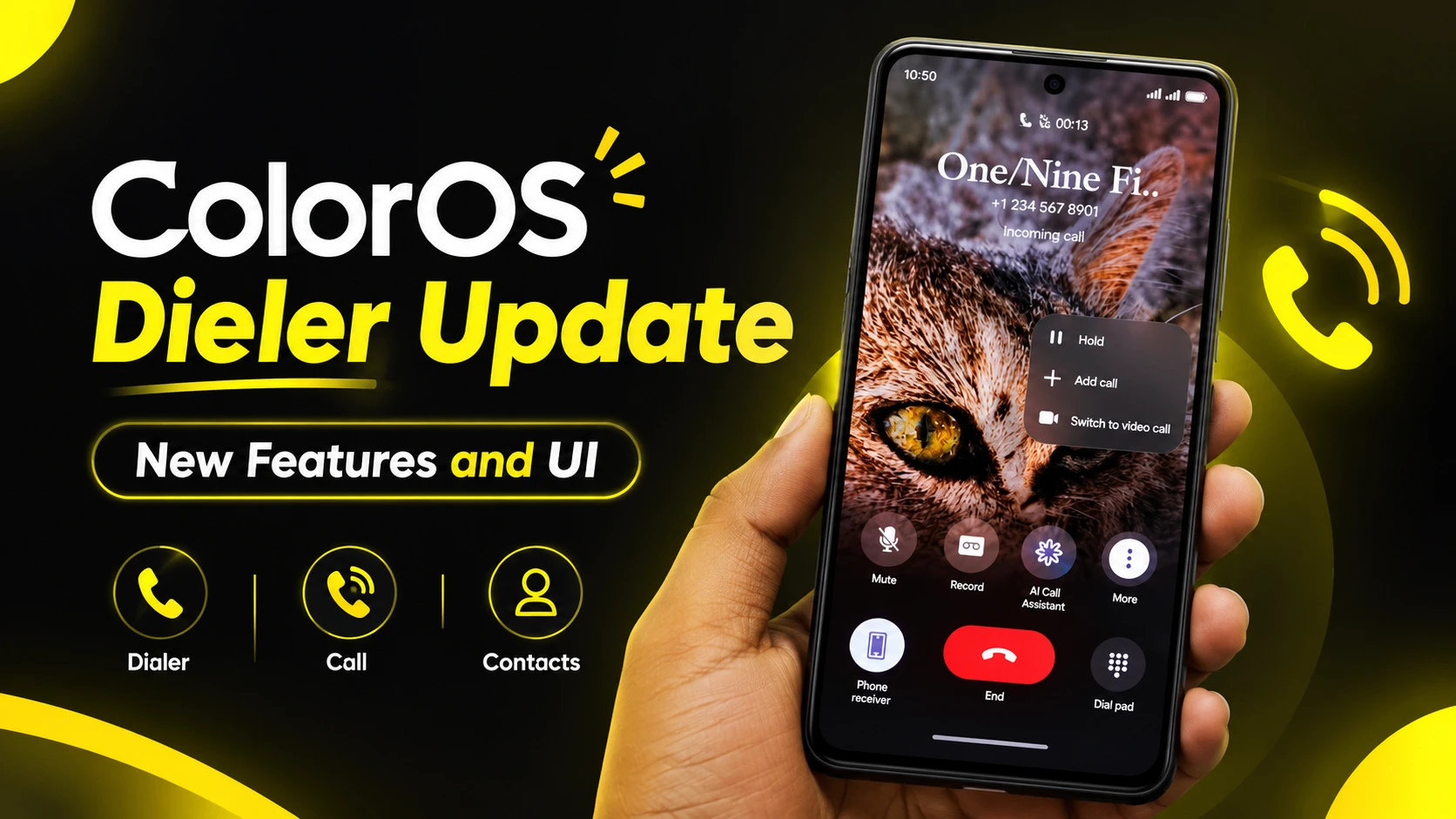
The Stock Dialer app on Realme, OPPO, Oneplus devices is getting purely new look with the latest update of ColorOS 17 version. This update brings the major changes in Dialer UI and features Like pad, call-handling layout, and overall user interface. Lets Discuss the all new feature in this article.
ColorOS 17 Dialer Features
Liquid Glass Design & UI Overhaul
This is the most a waited change that users were looking for. Liquid Glass effect of ColorOS 17 is now integrated directly into the dialer app, giving it a premium look and this feature works more efficient on flagship devices.
- Dialer Pad: The layout is completely redesigned with glass textures and responsive elements.
- Compact Bottom Tabs: In previous versions, there was a visible gap between the Call and Contact tabs. In ColorOS 17, that extra space is removed for a cleaner, unified bottom bar.
- Top Navigation: The “All Calls” and “Missed Calls” filters remain at the top (similar to ColorOS 16.1), but they now feature updated Liquid Glass styling.
- Call Controls: The in-call screen features redesigned action buttons, including easy access to AI Call Assistant, call recording, and mute toggles.
Customizable Incoming Call Styles
ColorOS 17 introduces easy ways to answer incoming calls with these two changes:
- Two-Button or Single-Button Layout: You can choose between a standard two-button layout (Accept/Decline) or switch to a Google Dialer-style single-button setup.
- Answer Gestures: Calls can be answered via swipe gestures or a direct tap.
These changes making calling experience more easy and fast.
Live Alert Call Receiving (No Full-Screen Distraction)
- In ColorOS 16.1, incoming calls often overtake the entire screen automatically. ColorOS 17 adds an option to keep calls compact and this will make calling less disctractive.
- Receive Live Alerts While Unlocked: By enabling this toggle (disabled by default), calls appear as a subtle Live Alert banner when your phone is unlocked, preventing unwanted full-screen interruptions.
How to install ColorOS 17 Dialer?
To install the latest version of Dialer go to device settings:
- Setting > installed apps > (Find Dialer) > Uninstall the update.
- Now Install the ColorOS Dialer which you have downloaded.
- Make sure to allow all the permissions after opening the dialer.
- Set Dialer as a default dialer for seamless use only.